Security Groups
Overview
Security groups in Vayu Cloud provide a container for virtual firewall rules that control ingress (inbound to instances) and egress (outbound from instances) network traffic at the port level. Security groups use a default deny policy and only contain rules that allow specific traffic. Each port can reference one or more security groups in an additive fashion.
Key Features
- Stateful Firewall Rules: Security group rules are stateful, meaning allowing ingress traffic automatically creates rules for return egress traffic
- Port-Level Control: Rules control traffic at the port level, providing granular network security
- Multiple Security Groups: Instances can be associated with multiple security groups for comprehensive protection
Accessing Security Groups
-
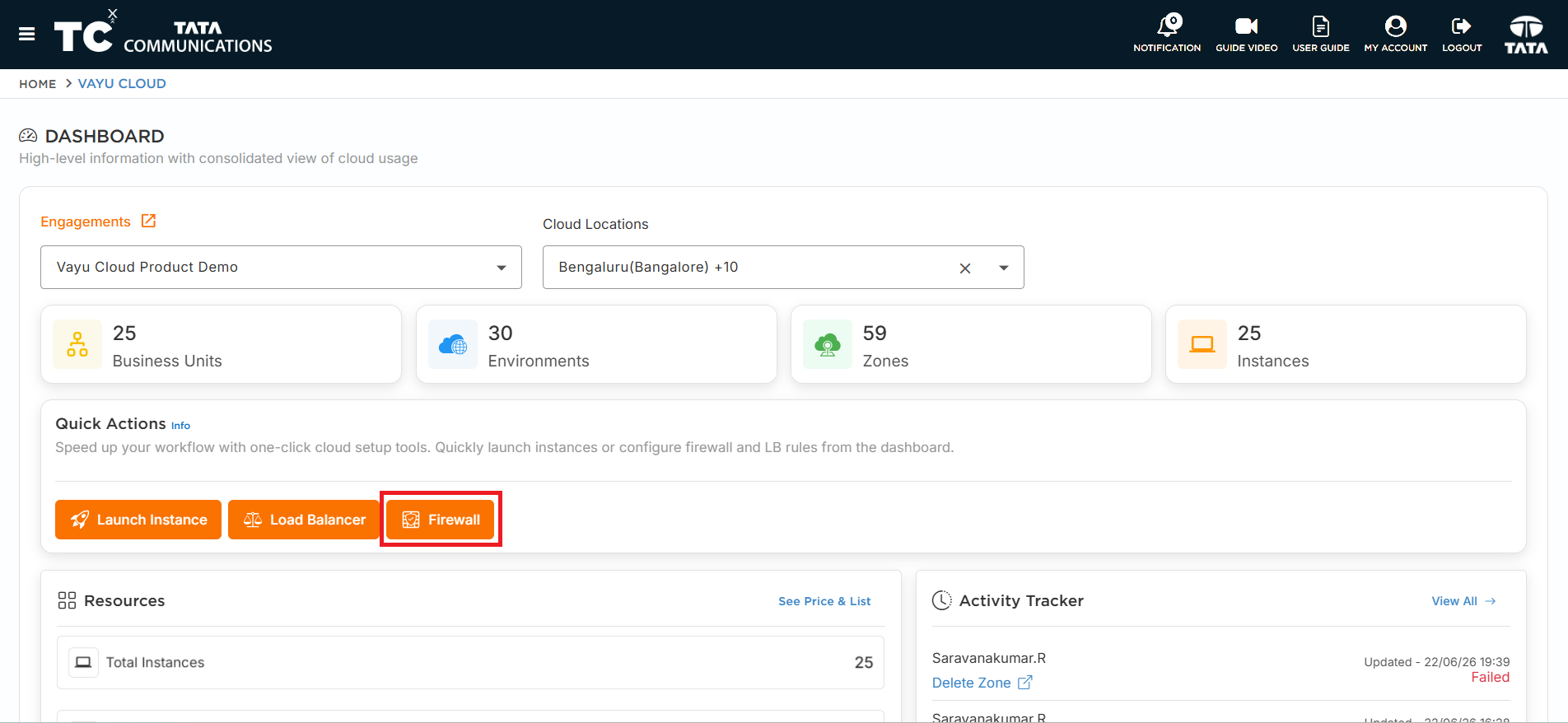
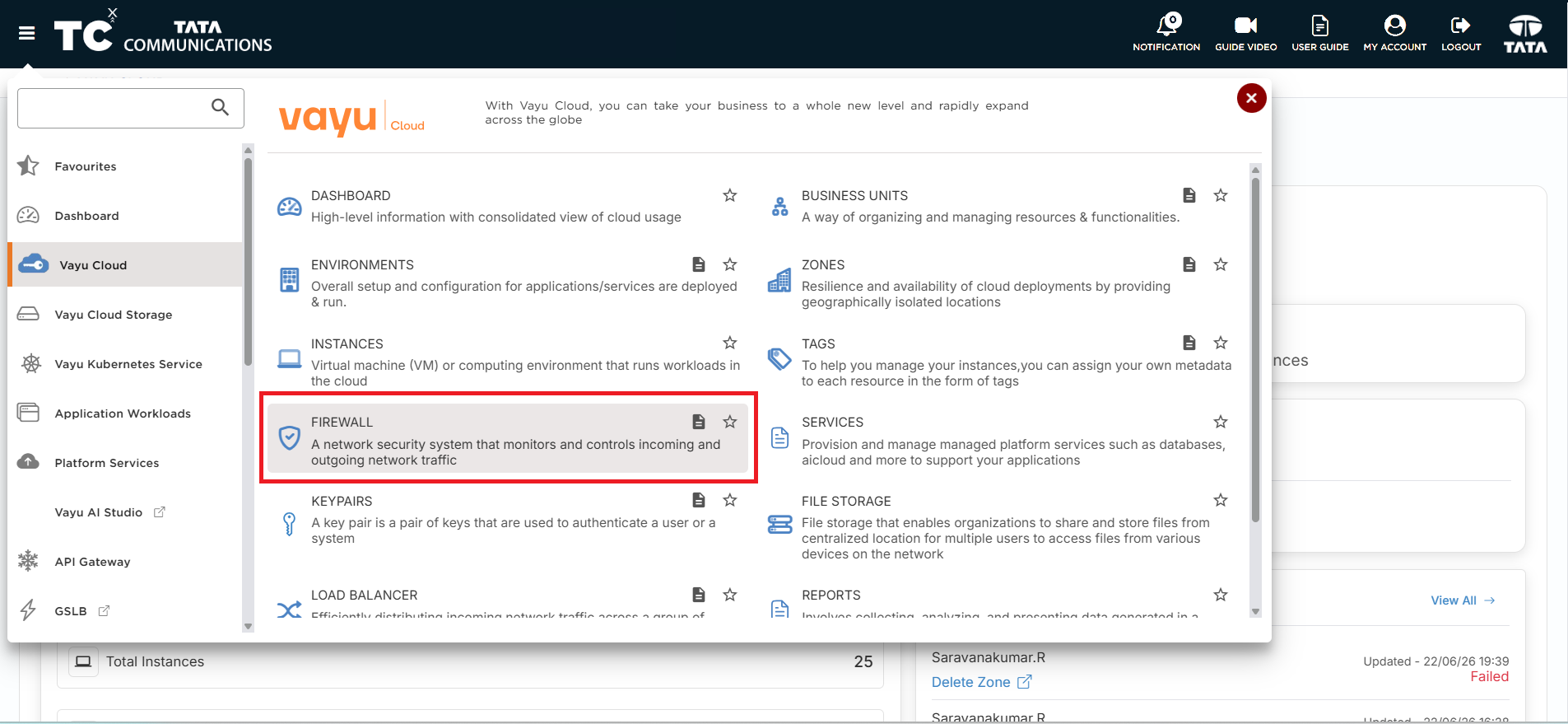
Navigate to Firewall: Click on the Firewall button from 'QUICK ACTIONS' on the dashboard or use the hamburger menu under Vayu Cloud.
-
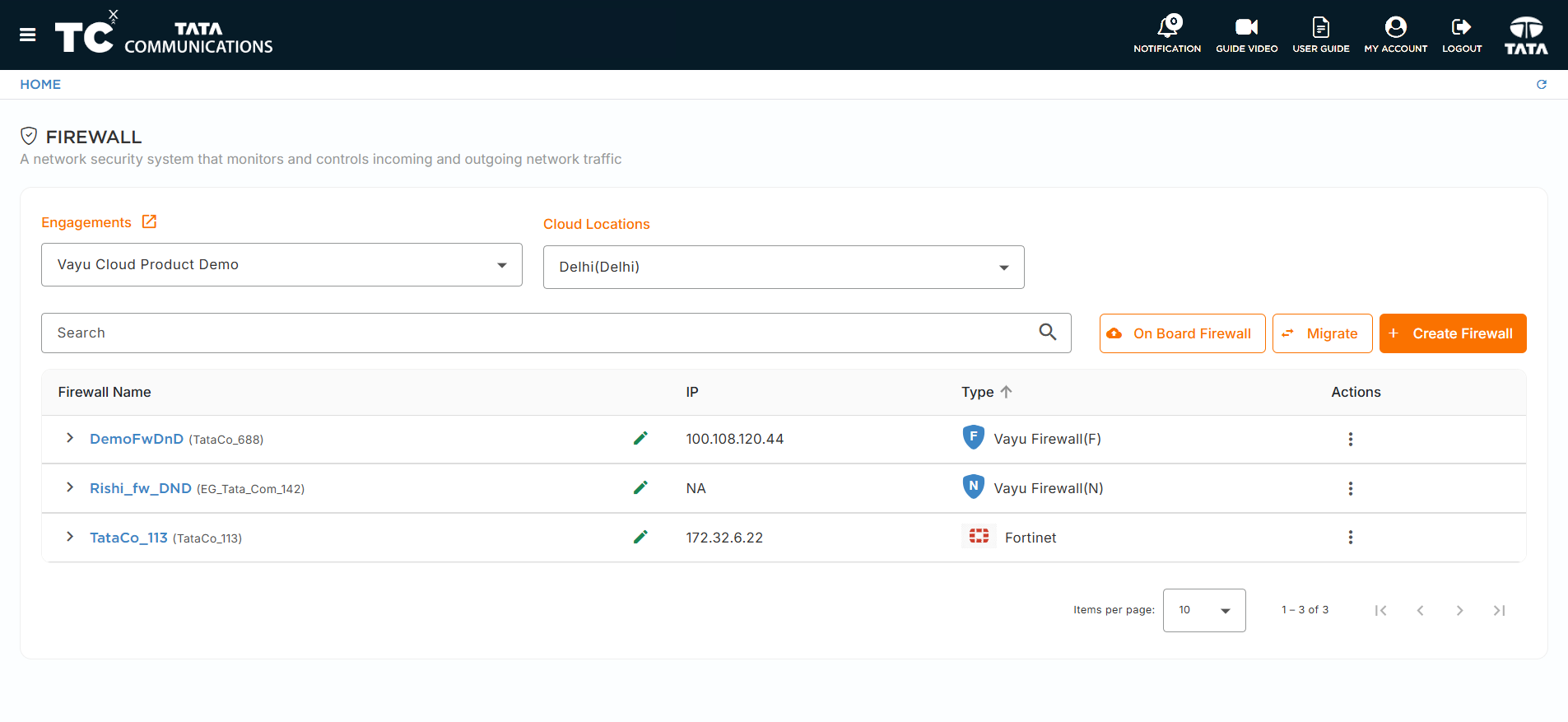
Select Firewall: Choose the firewall where you want to manage security groups.
-
Access Security Groups Tab: Click on the Security Groups tab in the firewall details page.
Security Groups List
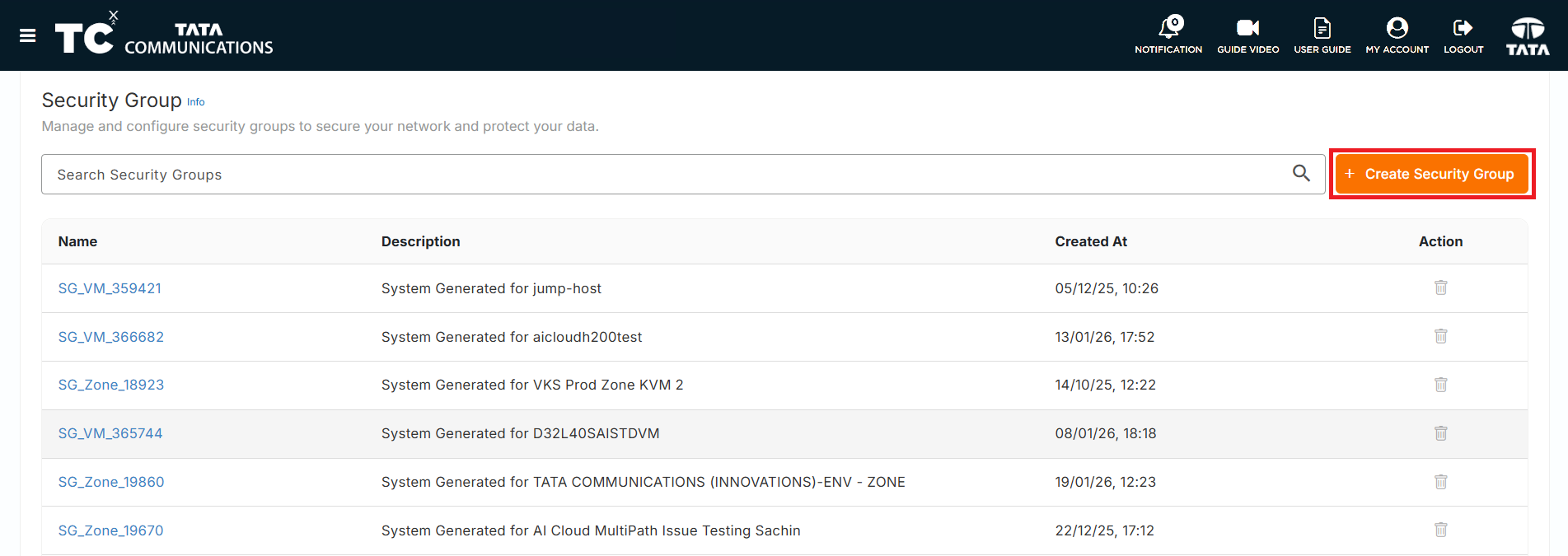
The Security Groups page displays all security groups associated with your firewall:
Security Group Types
- System Generated Security Groups: Automatically created security groups for specific services
- Custom Security Groups: User-created security groups for specific requirements
Security Group Table
The security groups table includes the following columns:
- Name: Security group name
- Description: Security group description
- Created At: Date and time when the security group was created
- Actions: Available actions (Delete)
Creating a Security Group
-
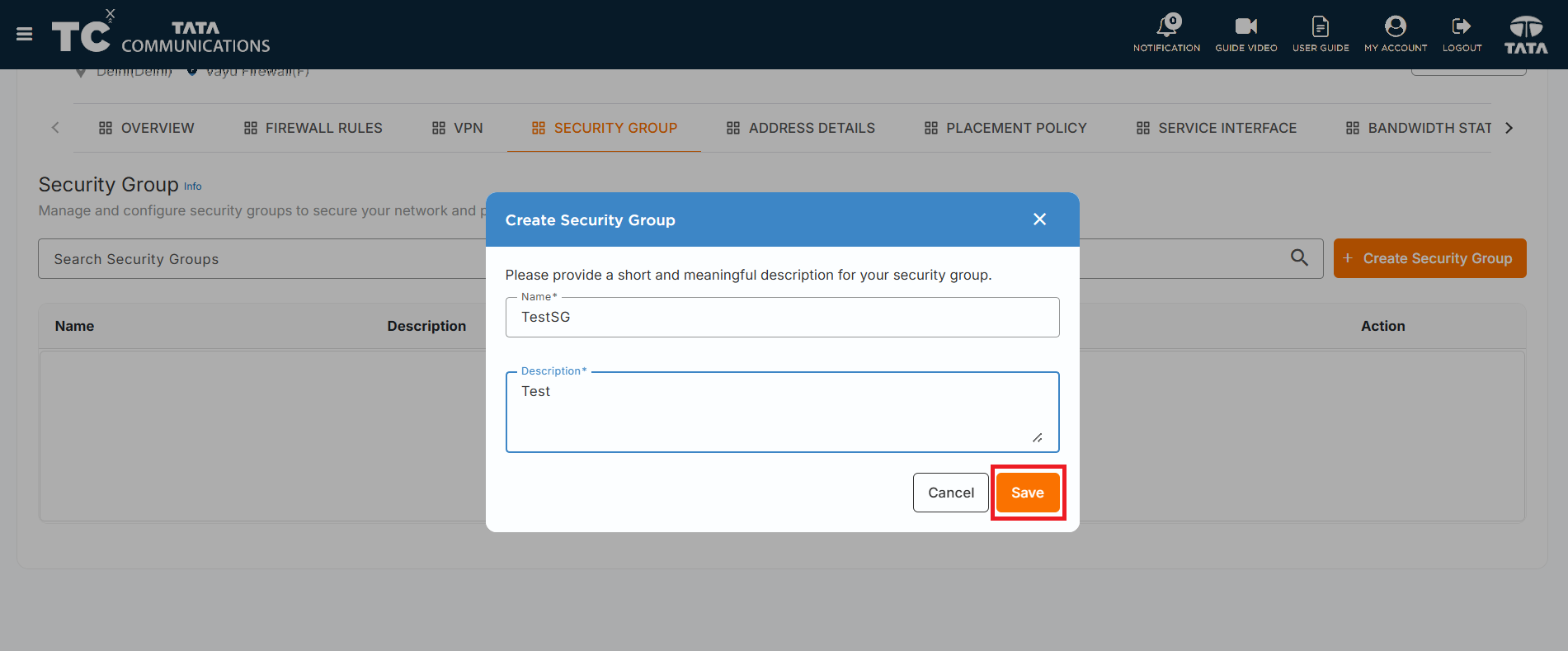
Click Create Security Group: Click the "Create Security Group" button on the Security Groups page.
-
Fill the Form: Enter the required information:
- Name: A unique name for the security group
- Description: A description of the security group's purpose
-
Validation Rules: The description field has the following validation rules:
- Cannot start with "default"
- Cannot contain "shared to all projects"
- Cannot contain "system generated"
-
Create: Click the Save button to create the security group.
Deleting a Security Group
-
Locate Security Group: Find the security group you want to delete in the security groups list.
-
Click Delete Action: Click the delete icon (trash can) in the Actions column next to the security group.
-
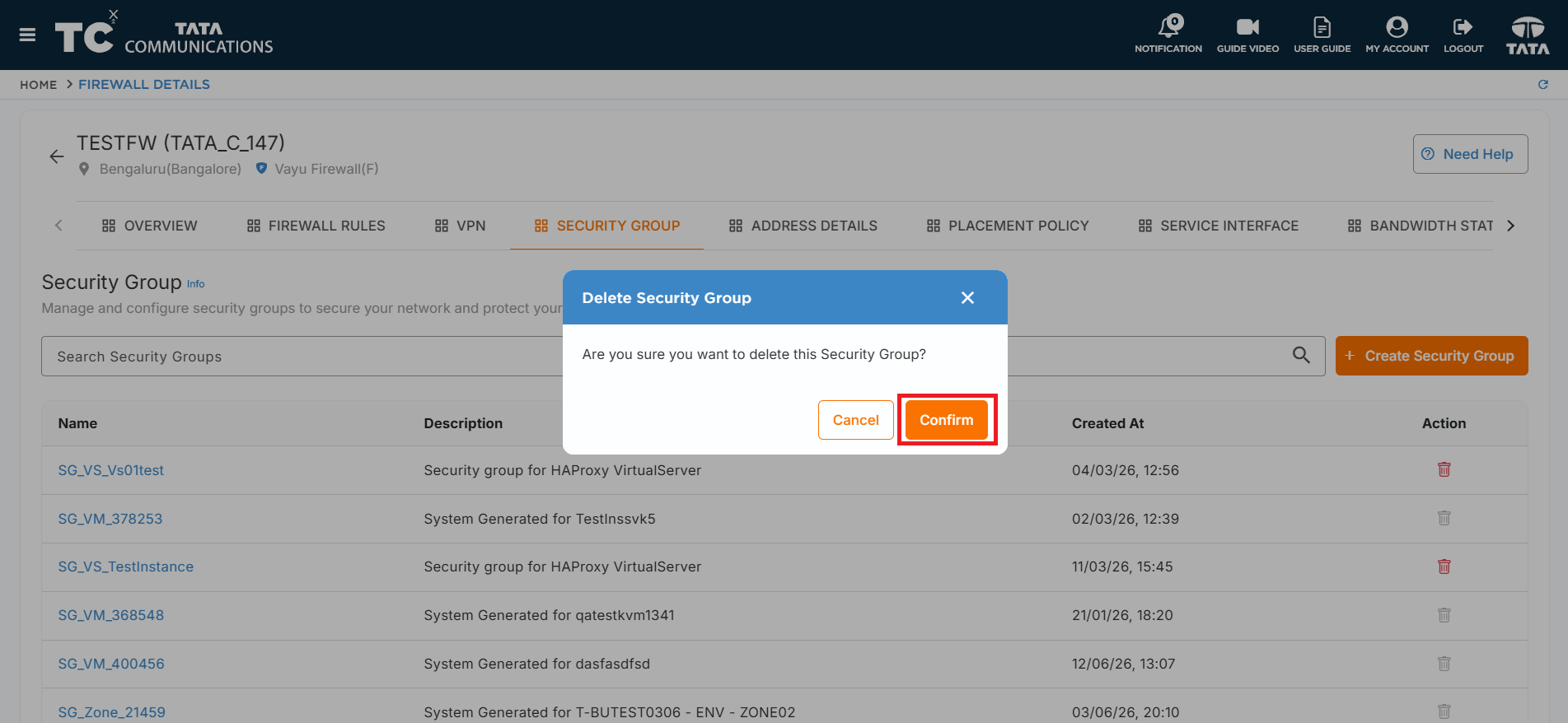
Confirm Deletion: A confirmation dialog will appear asking you to confirm the deletion.
-
Delete: Click Confirm to permanently remove the security group.
- Only user-created security groups can be deleted
- System-generated security groups cannot be deleted
- Deleting a security group will remove all associated rules
- Ensure no instances are currently using the security group before deletion
Managing Security Group Rules
Accessing Security Group Rules
-
Click on Security Group: Click on any security group name to view its rules.
-
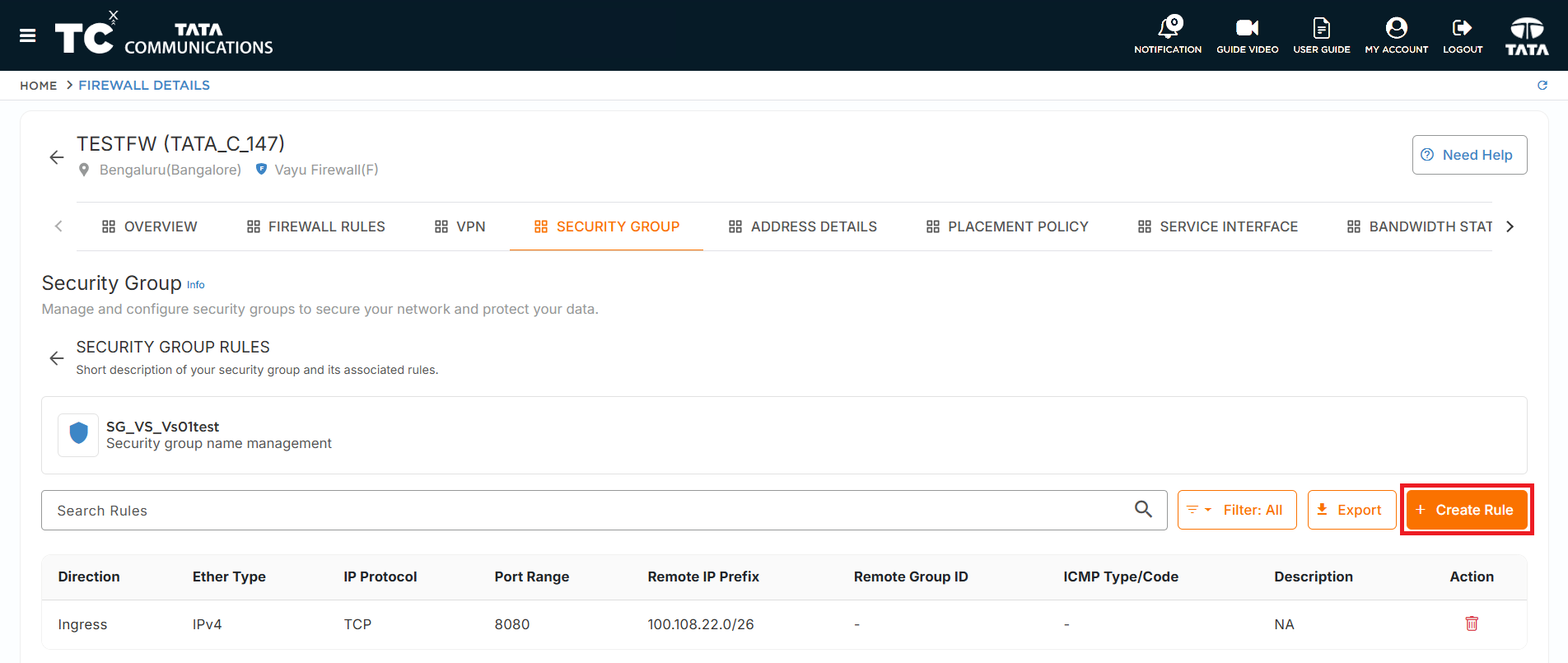
Rules List: The security group details page displays all rules associated with the security group.
Rule Management Permissions
- User-Created Security Groups: Can create and delete rules
- System Generated Security Groups: Can create rules, but system-generated rules cannot be deleted
Creating Security Group Rules
-
Click Create Rule: Click the Create Rule button on the security group rules page.
-
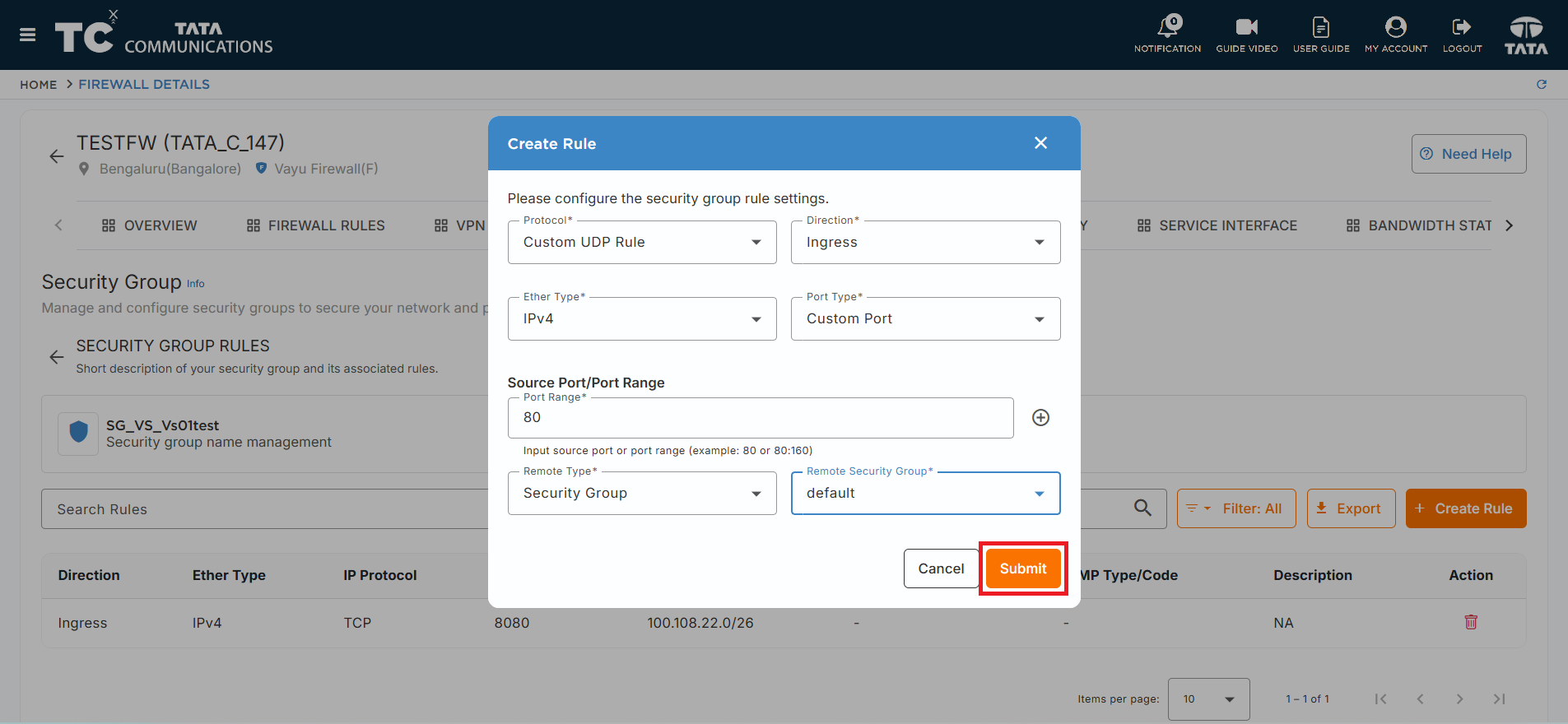
Select Protocol: Choose from the following protocol options:
- Custom TCP: For TCP-specific rules
- Custom UDP: For UDP-specific rules
- All ICMP: For ICMP protocol rules
-
Configure Rule Parameters:
For Custom TCP and Custom UDP:
- Direction: Ingress (inbound) or Egress (outbound)
- Ether Type: IPv4 or IPv6
- Port Type: Port range or single port
- Remote Type: IP prefix or security group
- Remote IP Prefix/Remote Security Group: Specific IP range or security group
For All ICMP:
- Direction: Ingress (inbound) or Egress (outbound)
- Ether Type: IPv4 or IPv6
-
Create Rule: Click Submit to add the rule to the security group.
Deleting Security Group Rules
-
Locate Rule: Find the rule you want to delete in the rules list.
-
Delete Rule: Click the delete icon (trash can) next to the rule.
-
Confirm Deletion: Confirm the deletion in the popup dialog.
System-generated rules cannot be deleted. Only user-created rules in user-created and system-generated security groups can be removed.
Security Group Rules
Vayu Cloud automatically adds basic security and anti-spoofing rules to all security groups:
Basic Security Rules
- Egress Traffic Control: Allows egress traffic only from valid source MAC and IP addresses
- DHCP Support: Allows DHCP discovery and response messages for IP address acquisition
- ICMPv6 Support: Allows neighbor discovery and multicast group management
- ARP Protection: Prevents ARP spoofing attacks
Anti-Spoofing Rules
- Source Address Validation: Ensures traffic uses valid source addresses
- DHCP Server Protection: Prevents instances from acting as unauthorized DHCP servers
- IPv6 Router Protection: Prevents instances from acting as unauthorized IPv6 routers